How I built an adaptive AI cycling coach using Claude, the Strava Connector, and a skill to create workouts
Since the rise of AI tools, I have been trying to build my own cycling coach. I use an app called Join, which uses AI to build a weekly training plan. I have been very happy with it for a long time, especially in autumn and winter when I mostly ride indoors or train alone outside.
But in spring and summer, it is very different.
In spring and summer, I want group and social rides, and that is where most of these apps miss the mark. They do not ask when you plan social rides, and they do not easily include core and strength training, which I always had to plan by hand next to my bike sessions.
I realized I did not just want an app that gives workouts. I wanted one that knows about my weekend group rides and fits my structured workouts around them. I wanted a real coach I could talk to: “Hey, I’m doing a huge social ride this weekend, give me workouts during the week that build fitness without leaving me dead by Saturday.”
Another thing I missed was an easy way to include strength and core training. After my back injury, core work became essential, but many of these apps do not offer an easy way to add it. I wanted a coach that could add strength sessions without me having to schedule them by hand.
When the Strava Connector for Claude was released, I started to think a custom Claude skill could be enough for this. So I built my own setup.
The skill
The skill is in this repository: estruyf/skill-cycling-plan-coach. From the releases page, you can download the latest version and install it in Claude. The skill is built to work with the Strava Connector, so make sure that is set up and linked to your Strava account.
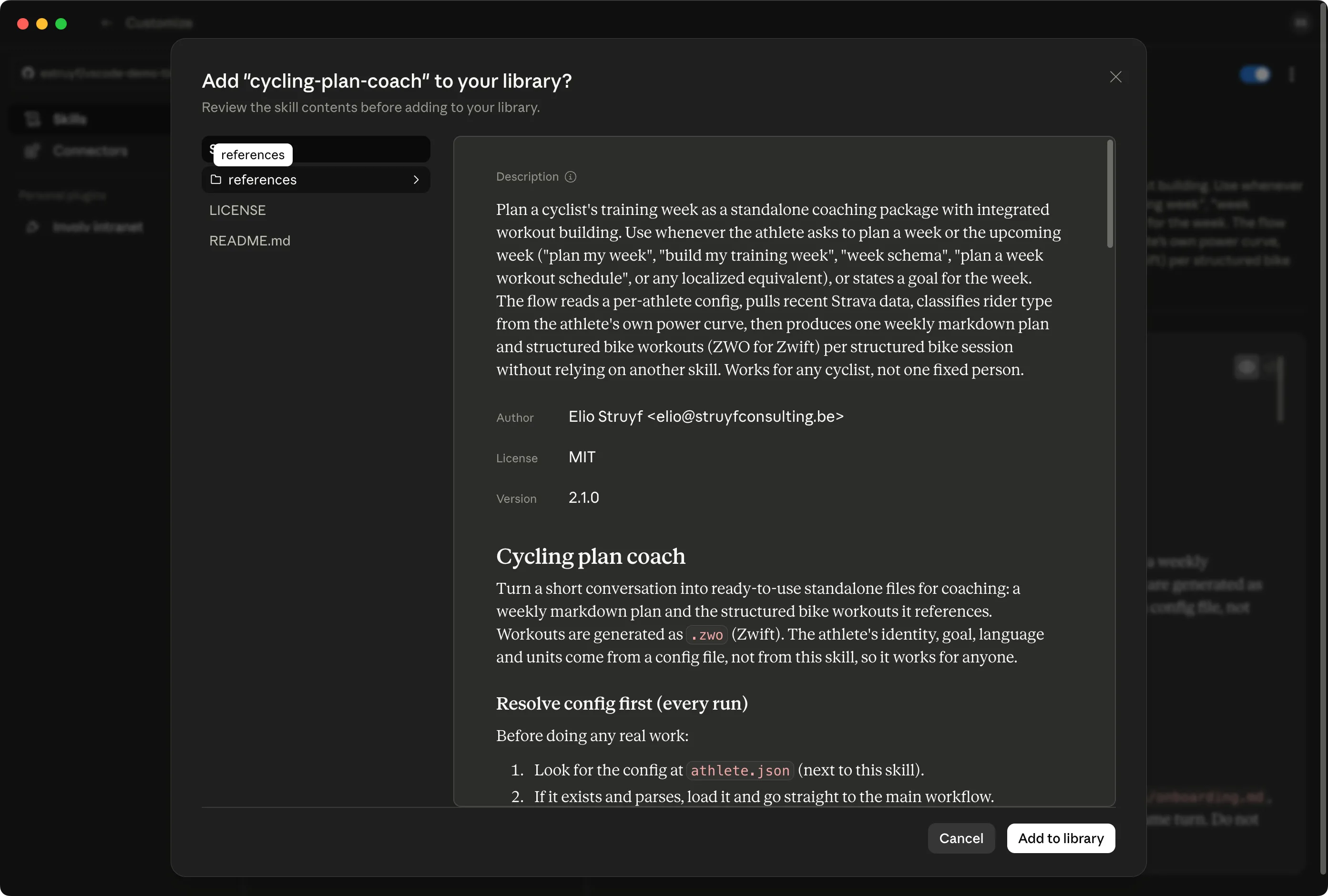
Once cycling-plan-coach.skill is installed, you can use it in Claude with the /cycling-plan-coach slash command. It should also work if you ask for a new cycling plan for the coming week.
The setup: building the athlete profile
When you first use the skill I made, it does not immediately return a generic plan. It acts like a real coach onboarding a new client. It asks for details to build a full athlete.json profile:
- Preferred language and units (metric/imperial)
- Main goals for the season
- Gender, age, and body weight
- Current FTP (Functional Threshold Power)
- Typical riding days (when are you available for workouts vs. group rides)
These days can change. Each time you ask for a new schedule, Claude checks if you want to keep your set days or if your schedule changed.
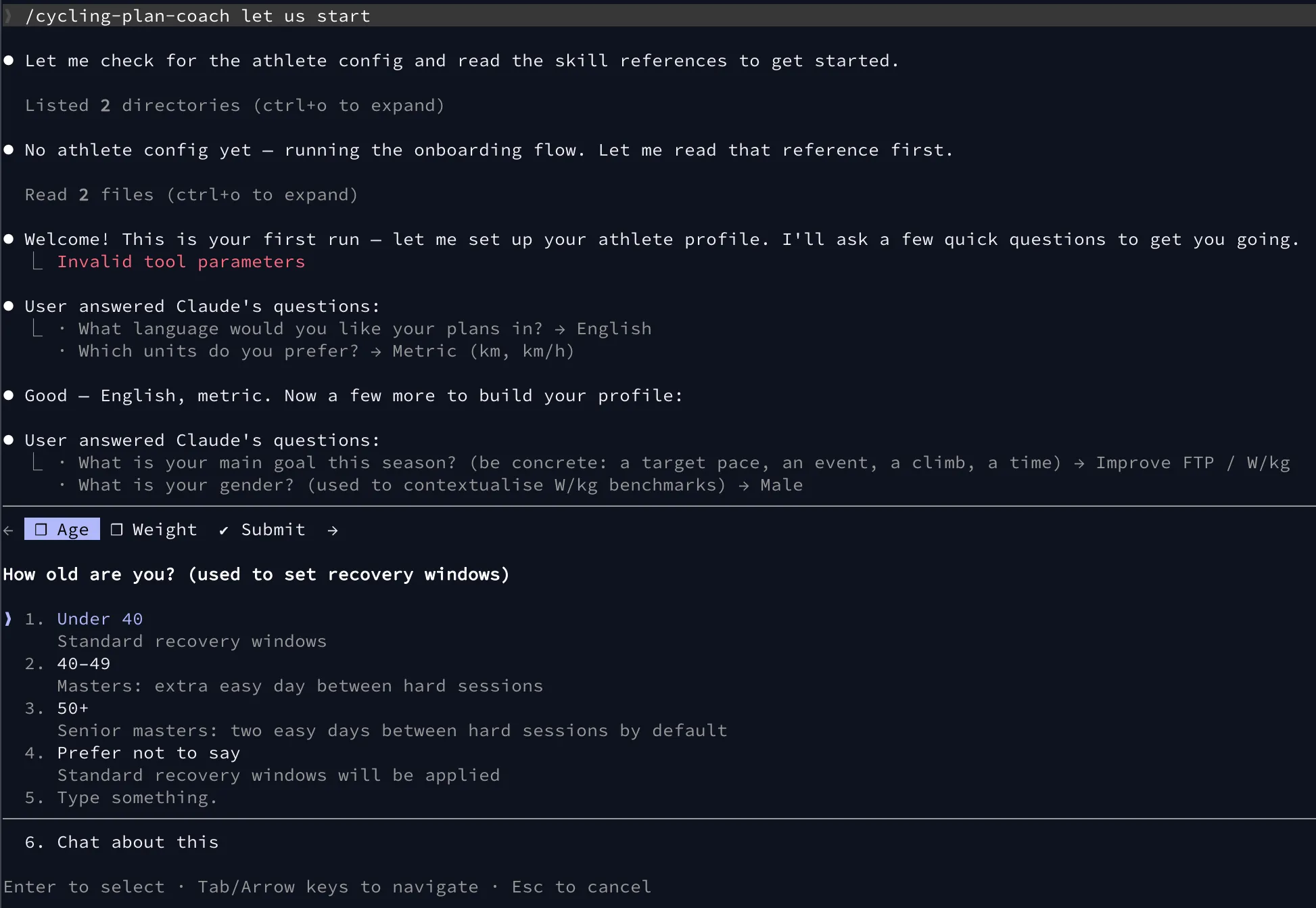
Once the skill has all the data, it pulls your recent activity data from Strava to understand your current fitness and fatigue. This is where it gets useful.
The data engine: pulling from Strava
To give useful advice, the AI needs data. Before any weekly plan is built, my skill makes four calls to the Strava connector.
Here is what happens in the background:
get_athlete_zones: Gets your current FTP and power zones. This FTP sets every watt target in the coming week. If the API flagsftp_is_estimated, it falls back to a manually set value.get_athlete_profile: Gets profile data like name, weight, and unit preference.list_activities: Checks the last 14 days, filtering forRideandVirtualRide. It pulls distance, moving time, elevation, andrelative_effort(as a stand-in for fatigue). It summarizes the last 7 days to tune the coming week’s load.get_activity_performance: Checks your most recent hard ride to get your power curve (5s, 1m, 5m, 20m$ best efforts). This classifies your rider type (sprinter, all-rounder, puncheur) and decides which interval sessions matter most.
The result: a week that actually fits my life
After analyzing my profile and Strava data, the skill generates a set of files for the week: .zwo files for virtual training, and markdown files describing the full plan and strength routines.
Here is an actual summary of the plan Claude generated for me:
# Training Week 2026-W25**Goal:** Reach 300 W FTP (currently 245 W / 3.45 W/kg) — build to 4.2 W/kg**Focus:** One quality threshold session (over-unders) to push FTP tolerance; keep Thursday easy and the weekend social.**Last week:** 5 rides, 327 km, ~10 h, 840 m elevation, 3 hard days — heavy week, coming into W25 with some cumulative load.
## Schedule
| Day | Session | Duration | Notes ||-----|---------|----------|-------|| Mon | Strength + core | 45–55 min | Full gym session || Tue | Rest | — | Full recovery || Wed | Over-unders 3×3 (Step 1) | 72 min | `2026-W25-over-unders.zwo` || Thu | Endurance Z2 | 75 min | `2026-W25-endurance-z2.zwo` · Easy 65% FTP (159 W) || Fri | Core | 20–30 min | See core section || Sat | Group ride | — | Social, no power targets || Sun | Group ride | — | Social, no power targets |Generating the structured workouts
The skill automatically creates .zwo files for structured interval days. The rules that tell Claude how to structure these XML files live in a specific ZWO Format Markdown file in the repository.
Strength and core training
For strength and core sessions, the skill generates markdown files with detailed instructions. These are based on a combination of general strength training principles for cyclists and specific exercises that target the core and back, which are crucial for my injury prevention.
# Strength Session – 2026-W25**Day:** Monday, June 15**Duration:** ~45–55 min including warm-up
## Warm-up5–10 min easy movement: leg swings, hip circles, bodyweight squats × 10, glute bridges × 10.
## Strength (legs and posterior chain)
| Exercise | Sets × Reps | Load / cue | Rest ||----------|-------------|------------|------|| Back squat | 4 × 5 | Heavy, full control, smooth depth. Progress the load each week. | 2–3 min || Romanian deadlift | 3 × 8 | Hinge from the hips, feel the hamstrings load at the bottom. | 90 s || Bulgarian split squat | 3 × 8/leg | Dumbbells, front foot flat, rear foot elevated. Single-leg force. | 90 s |
## Core (trunk and stability)
| Exercise | Sets × Reps | Load / cue | Rest ||----------|-------------|------------|------|| Plank | 3 × 45 s | Brace hard, neutral spine, hold riding position. | 45 s || Dead bug | 3 × 10/side | Low back pressed to the floor throughout. | 45 s |
## Notes- Heavy compounds first, core last.- Rest fully between sets — this is not cardio.- Progress the squat and RDL by adding small load each week. Consistency beats intensity here.The Garmin hurdle
Once I had my .zwo files, I needed to get them on my bike computer or indoor trainer. I use MyWhoosh indoors, and the files drop right in. But outside, I use a Garmin.
This part was frustrating. Garmin heavily limits its APIs. They allow third-party developers to upload activities, but they do not expose a public API endpoint for uploading custom workouts.
Because manually recreating Claude’s workouts in the Garmin Connect UI took too much time, I built a workaround: the Garmin Workout Browser Extension.
This Chrome extension fills the gap, letting you import those AI-generated ZWO files right into your Garmin calendar. It is currently waiting to be published in the Chrome Web Store, but you can check the source code here: estruyf/garmin-workout-browser-extension.
When you use the extension, you get a new “Workouts” button on Garmin Connect pages.
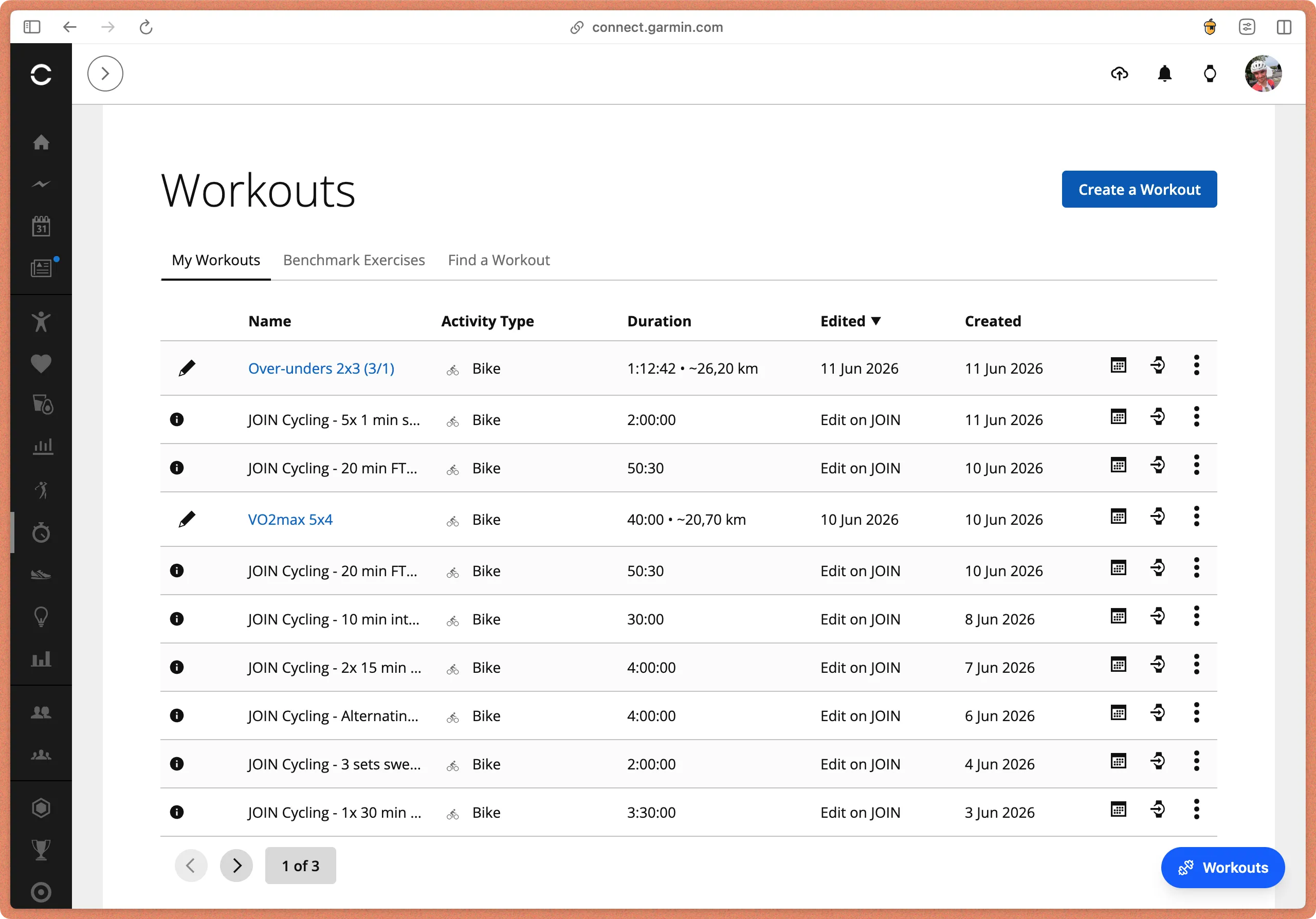
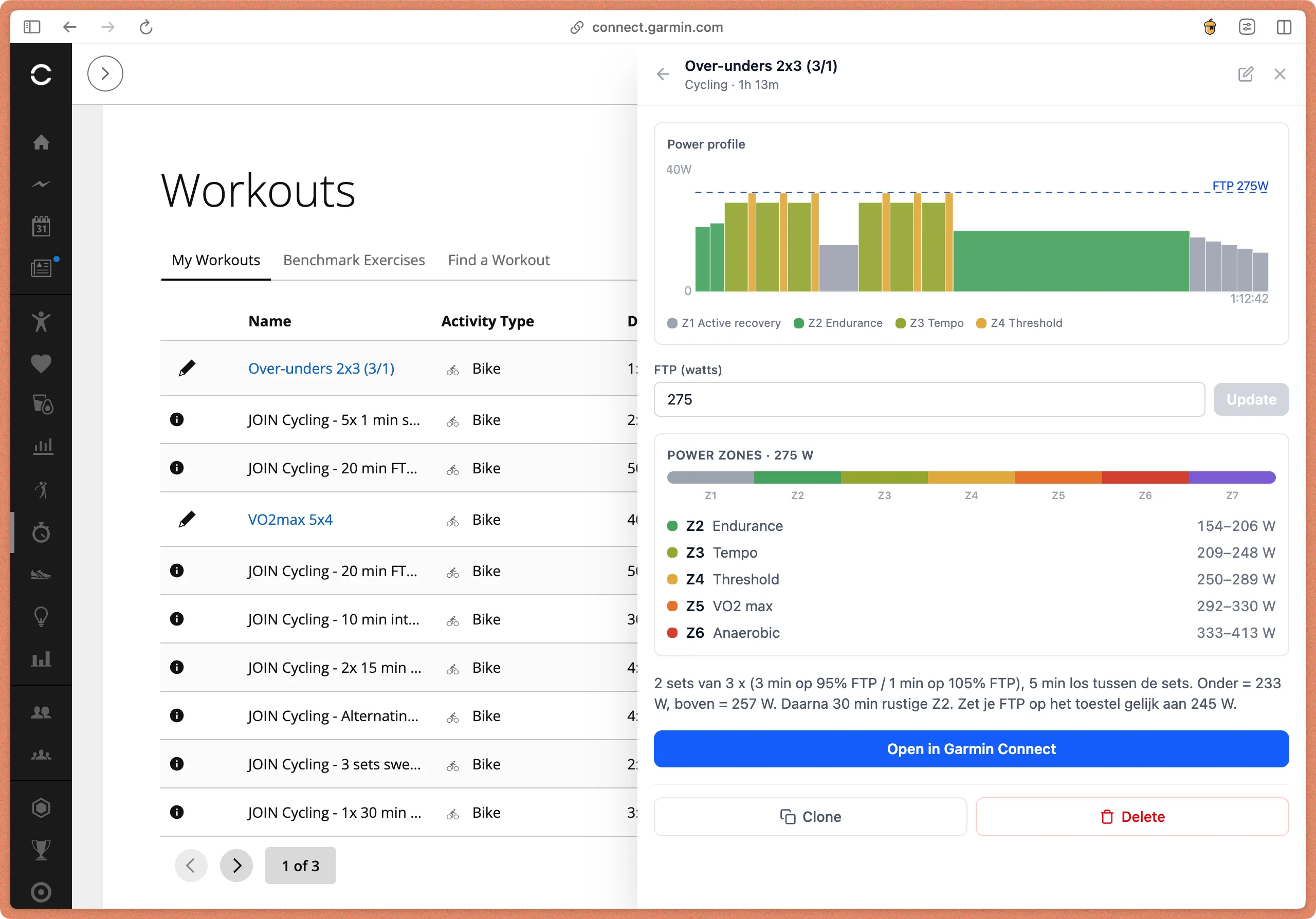
When you click it, you can view workouts, clone workouts, edit them, or upload ZWO files that get converted to the Garmin JSON format.
Wrapping up
Using the skill feels very natural, whether in the Claude Desktop app or the CLI. I just started using it, so I will likely tweak it to get more consistent results, but the first output looks very promising.
Let me know what you think, and if you try it, share your experience. Feel free to share feedback or ideas to improve it. I am excited to see how this evolves and how it can help other cyclists build more personal and adaptive training plans.
Resources
Related articles
Stop typing, start talking
Discover how voice dictation can transform your workflow and boost productivity. Stop typing and start talking today!
SharePoint Designer Workflow Action: Retrieve the File Extension
SharePoint Designer 2010 – Start Approval Process Workflow Action Not Working In Other Languages
Report issues or make changes on GitHub
Found a typo or issue in this article? Visit the GitHub repository to make changes or submit a bug report.
Comments



Let's build together
Manage content in VS Code
Present from VS Code
Engage with your audience throughout the event lifecycle